Molecular Biology
Design expression vectors in the browser, then carry them from build to verified plasmid
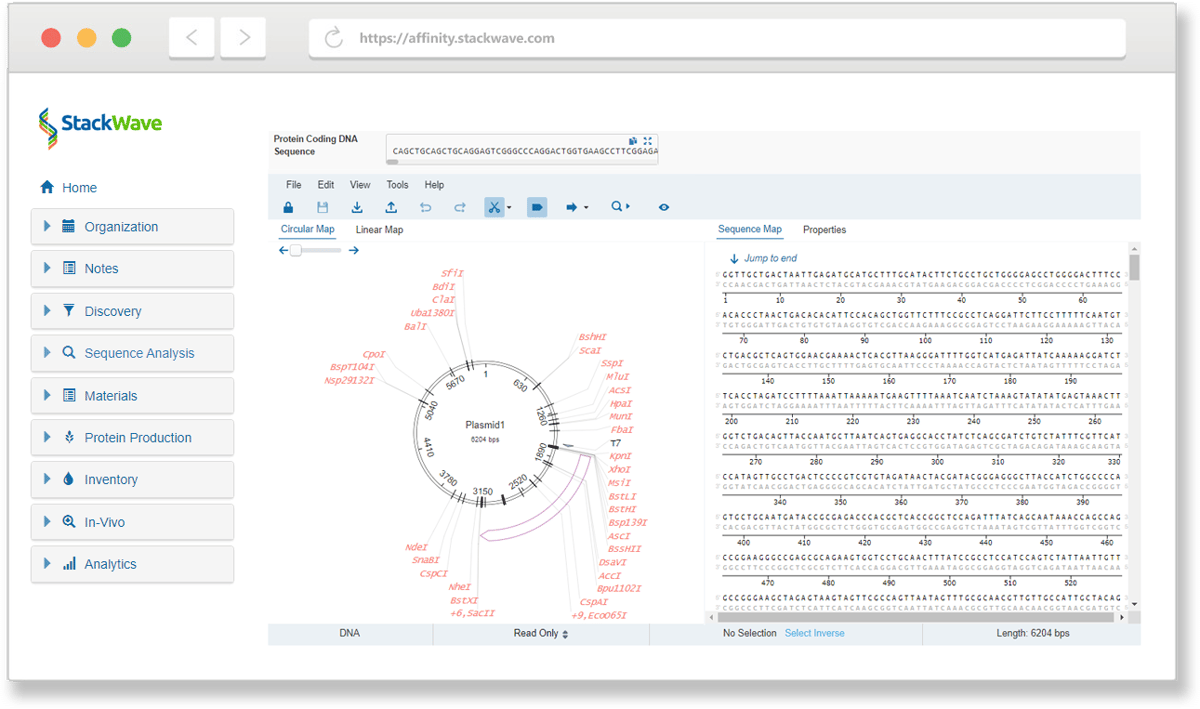
Affinity's Molecular Biology module is where expression vectors get designed, built, and verified. Design the construct in an in-browser editor that draws from your own catalog of parts (variable domains, constant regions, promoters, signal sequences, selection markers), reverse-translating to the expression host as you go. Or start from a plasmid you already have: Affinity imports SnapGene `.dna`, GenBank, and ApE files as editable maps. Clone it in-silico by restriction digest or Gibson assembly, and register the finished design as a plasmid in one action. From there a tracked construction pipeline carries each build through amplification, transformation, and verification, and the verified plasmid lands in the freezer with its full lineage back to the design and the discovery clone it came from. The design doesn't dead-end in a drawing: it's wired into the build and the rest of the platform.
Designing a vector and building it shouldn't live in separate tools
Designing an expression vector and building it usually happen in two different worlds. The design is done in a dedicated sequence editor; the build is weeks of bench work across multiple scientists (order or amplify the insert, transform into bacteria, pick colonies, verify by sequencing, aliquot into the freezer), tracked across spreadsheets and hand-offs; and verification typically lives in yet another sequencing-analysis tool that talks to neither. The design that started it all ends up disconnected from the construct that comes out.
Systems that treat vectors as a single record lose the phased structure of the process that produced them: which constructs are in amplification, which are waiting for transformation results, which failed verification. This forces the team to maintain status outside the system. Affinity treats plasmid construction as a tracked pipeline with explicit phases, per-phase data capture, and structured handoffs, so the status of every request is always one page away and the lineage from discovery clone to verified plasmid stays intact.
Click here to download the StackWave Affinity LIMS presentation
A construction request hits your bench
Discovery handed over the top three clones from the anti-CD20 campaign with their paired heavy and light variable domains identified. The molecular biology team's task: turn those clones into full-length IgG expression vectors, ready for protein production.
The request lives in Affinity from the moment it's submitted. The Vector Requests page lists every incoming request with its task list, the sequence requested, and the current workflow state. Triage the incoming requests, assigning them out to the appropriate team members, or marking as completed any that already exist. The connection back to the originating clone and the project it belongs to is preserved through every transition, so that when a downstream question arises about which clone produced which plasmid, the lineage answers it.
You design the vector
The first construct is an IgG against CD20. The vector needs the right heavy chain backbone, the variable domain from the clone, a CMV promoter, a signal sequence, and an antibiotic resistance gene for selection.
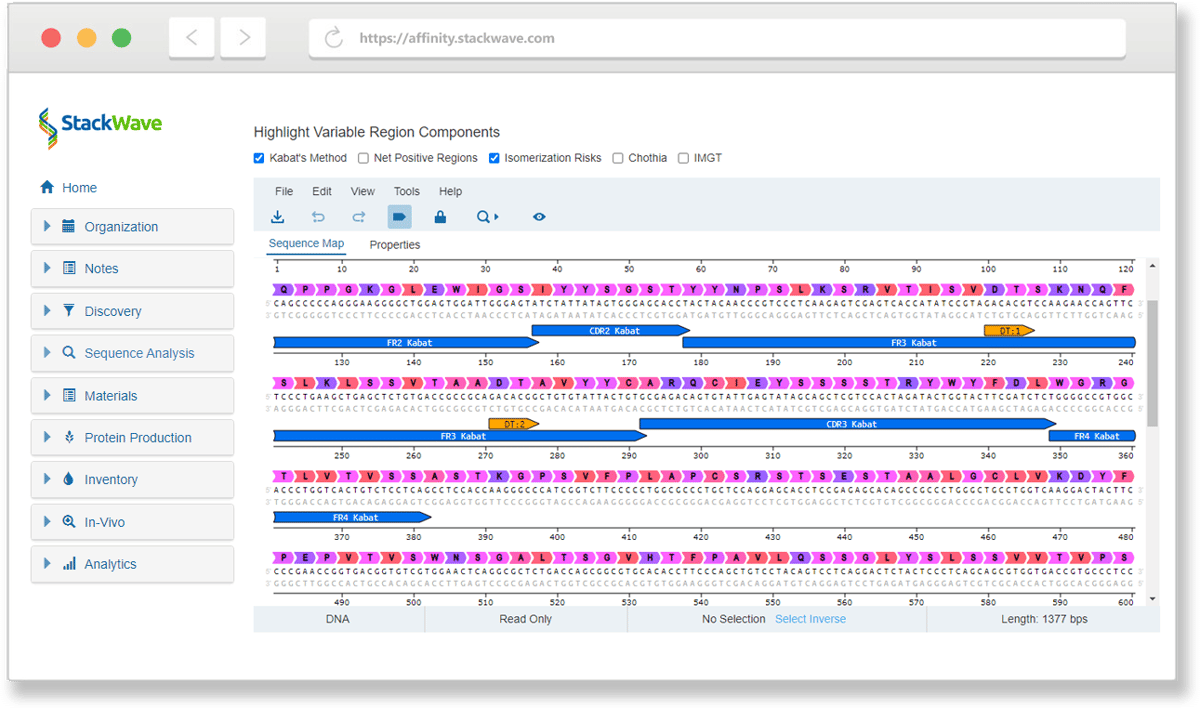
Affinity provides an in-browser sequence design widget integrated with your entire catalog of parts. The construct comes together as parts drop in from your catalog: signal sequences, constant regions, linkers, selection markers, terminators, or any other category you create. Each lands as an annotation on the growing sequence, reverse translated as needed for the ultimate expression host. When the design lands, registering it as a plasmid is one action; the new construct enters the bioregistry with its features persisted as annotations on the sequence, ready for cloning and expression. And a design doesn't have to start from scratch: import an existing plasmid and it opens as an editable map with its features intact, ready to modify or extend.
You work the construction through its phases
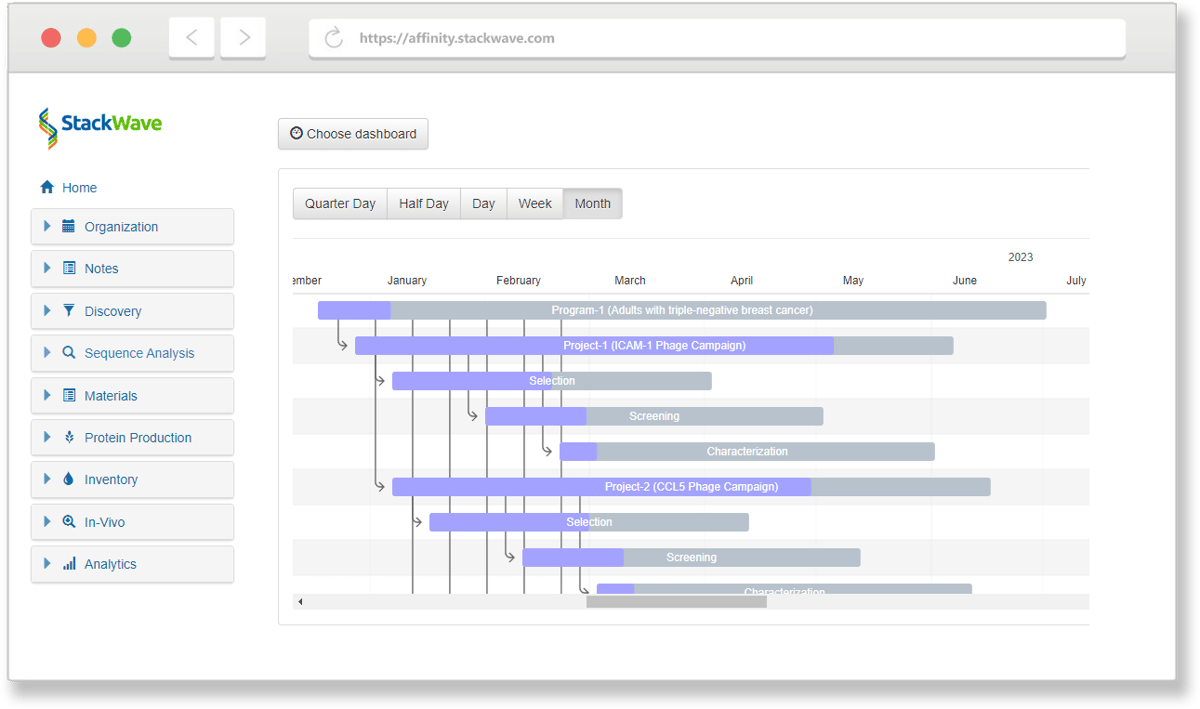
The plasmid is designed and registered. The bench work now spans amplification, transformation, and verification. Affinity's Vector Construction page is the working surface for the whole process. The build runs as a sequence of distinct steps, each tracked on its own: designing the constructs, then amplifying the insert, transforming it into bacteria, verifying the prep by sequencing, and aliquoting the result. Each step associates the constructs with the data a scientist records at that stage, so you can always tell what's waiting on a transformation, what's in verification, and what has failed.
The scientist picks the work up at amplification: the insert is synthesized or amplified at the bench, and the yield is captured per construct as it completes. Then it's transformed into competent bacteria, colonies are picked and grown up, and the prep is sequenced. At verification, those reads are aligned against the designed sequence, and the match, or the mismatch when it happens, is recorded against the request.
The request moves through each step as the work for that step is marked complete. Requests can be assigned to a specific scientist, postponed for later, or cancelled to remove them from the queue. The trail from request to verified plasmid stays intact through every transition.
The verified plasmid lands in the freezer
Sequencing has confirmed the prep matches the design. There's now a real tube of verified plasmid DNA, and the last step is getting it into the freezer and onto the books.
You aliquot the prep into storage: pick the freezer, shelf, rack, box, and position, and each aliquot becomes first-class record in inventory, ready to be pulled when expression starts. The plasmid's page now carries the full lineage: the circular sequence rendered as a vector map with features and signal sequences annotated, the design history showing the parts and the reference alignment used, the construction record with the amplification yield and the transformation's cell line, the originating discovery clone and the request that started the work, the project it belongs to, and the inventory location. The next time someone asks, where did this plasmid come from, and how was it verified?, the answer is one page.
How Molecular Biology connects to the rest of Affinity
-
Discovery is upstream. Clones identified there, with their paired heavy and light variable domains, feed in as construction request inputs. The lineage from panning round to verified plasmid stays intact.
-
Bioregistry is where the parts catalog lives: constant regions, signal sequences, linkers, antibiotic resistance genes, and any custom parts your team has registered. Designed plasmids register here as first-class records.
-
Protein Production is downstream. Verified plasmids feed expression runs, and the same construct can be cloned into a different format when the program pivots, with both lineages preserved.
-
Inventory tracks each verified plasmid prep as aliquots in the freezer, traceable to its construction history.
-
Analysis supplies the sequence search and alignment tools that work over the designed and constructed plasmids' DNA content.
Why choose Affinity for molecular biology
-
The construction pipeline is tracked, not narrated. Six explicit phases with per-phase data capture and structured handoffs replace the spreadsheet-plus-email status reporting most teams default to.
-
Design and validation in one surface. The vector editor has a pairwise reference alignment built in, so design errors get caught before the bench work begins. No separate vector design tool to license, no manual sync between the design and the registry.
-
One platform from discovery clone to verified plasmid in inventory. Lineage is preserved across every phase.
-
Transparent pricing. $175 per user per month, every module included.
-
Founded in 2011, focused exclusively on biologics R&D — more than a decade of building the construction workflow for the scientists who actually run it.
Manage your entire process, from discovery to lead characterization
With Affinity, it's never been easier to collaborate effectively on drug discovery and development. Spend more of your time on discovery instead of data entry by using one solution that provides all of the tools you'll need. Request a demo or free trial today.
Collaborate
Facilitate collaboration between discovery, production, and analytics teams
Integrate
Fully integrated, from target identification to lead characterization
Consolidate
Single source of truth for all assay data
Analyze
In-depth analysis of lead antibodies
Learn more about our solutions for Biologics R&D
-
Sequence Analysis
-
Phage Panning
-
Lead Characterization
-
Hybridoma Production
Sequence Analysis
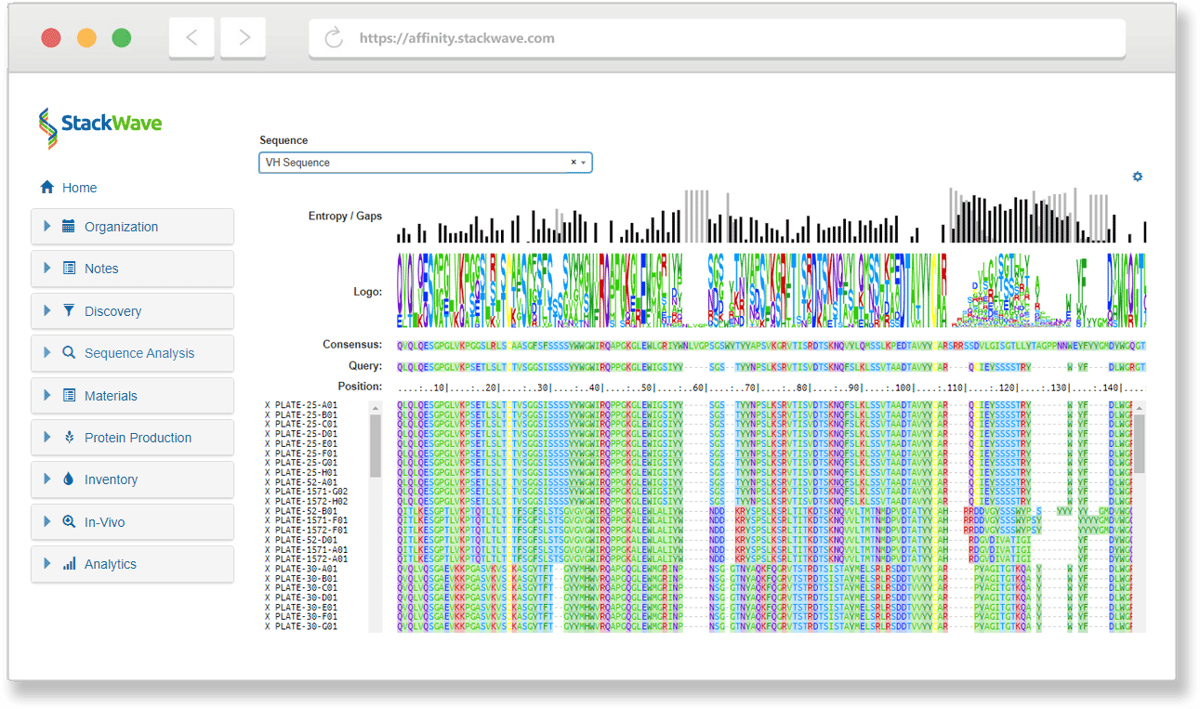
Leverage Affinity’s built-in sequence analysis tools to identify the unique antibodies in your discovery campaign results without having to license or build a separate bioinformatics system. Additional sequence search tools take advantage of Affinity’s sequence and variable region databases to quickly find related sequences.
Phage Panning
Phage panning allows you to narrow the enormous diversity represented by your phage libraries to a manageable set of antibodies for further study. Create visual designs of your phage panning experiment to track which combinations of antigens and other inputs produced the most promising leads. From the pools of phage output produced, generate sets of screening plates for assaying, sequencing, screening, and analysis.
Lead Characterization
StackWave Affinity provides workflows for phage, hybridoma, and single B-cell campaigns, assay data management, sequence analysis, custom reporting, and plate generation in a single solution. These tools integrate seamlessly to help discovery teams quickly identify their most promising lead antibodies. Automation support for liquid handling platforms and assay data ingest allows for high-throughput screening of campaign results.
Hybridoma Production
Manage the complexity of hybridoma campaigns with an actual animal study management solution that connects seamlessly with hybridoma plate generation. Generated plates can be screened, sequenced, filtered, and lead antibodies identified using an intuitive set of tools that combine assay data management, sequence analysis, and custom reporting.
"StackWave gives us confidence in our leads by collecting all of the data about our potential therapeutics in one place and making that data actionable by allowing us to compare antibodies of interest."
"I worked with StackWave for ~4 years at my previous job to implement our LIMS. It was a great learning experience. We put in place an incredible system for our entire workflow, from plasmid registration to in-vivo study data registration."
"StackWave’s Platform allowed us to collaborate on our in-vivo studies in a web browser at home... I would highly recommend StackWave for therapeutic discovery teams looking to improve collaboration between teams."