StackWave Affinity™

Discovery

Display platforms, hybridoma screening, and single-cell sorting, all run natively within one solution

Affinity's Discovery module runs the discovery workflows that biologics teams actually use, not a generic "screening pipeline" abstraction. Display campaigns track rounds with their antigens and libraries, plot recovery across the campaign, and surface the clones emerging from each round. Screening plates register from any source: selection output, hybridoma fusions, sorted B cells, or existing proteins. As clones are sequenced, built-in sequence analysis calls heavy and light variable domains, annotates framework regions and CDRs, and ties each clone back to the campaign it came from. The panel that comes out the other side is ready for cloning, expression, and characterization in the rest of the platform.

StackWave Affinity™ Discovery Module

A discovery campaign isn't a generic pipeline

A discovery campaign in biologics R&D follows a workflow shape that's specific to the platform you're running. A phage panning campaign has rounds with positive antigens, negative antigens, input libraries, and a recovery percentage that tells you whether the campaign is enriching. A hybridoma campaign produces fusion plates to be screened, hits to be picked, and clones to be sequenced. A single-B-cell campaign starts with sorted cells on a plate, runs sequencing per well, and identifies paired variable domains for each productive well.

Systems that treat all of these as variations of a generic "screening" abstraction lose what matters: the campaign structure, the recovery curve, the source-specific identification logic, the lineage from immunization through clone selection. Teams must instead "flatten" the shape into a uniform record that works for every campaign. Affinity treats every discovery campaign as a first-class workflow with the operations that platform actually needs.


Click here to download the StackWave Affinity LIMS presentation

A scientist's day, in Affinity

A new selection campaign starts

A program is starting work on a CD20-targeting antibody. The campaign will run phage panning against a recombinant CD20 construct already in the bioregistry, using your team's standard naive scFv library as input.

Campaign scoping is the differentiator at this stage. Project, target, display format, and input source are first-class fields on the campaign record, and the target picker is filtered to the project's scope, so the campaign can't drift from the work it's supporting. Phage, yeast, or any other formats your team has configured register the same way. The input can be a library, a prior campaign's output for a continuation, or a mix, and a campaign branched from a prior one keeps the lineage back to its parent, so the relationship between campaigns is recoverable later.

You walk the campaign through its rounds

Panning rounds happen at the bench. In Affinity, they accumulate as a campaign history on a single page.

The campaign's page is the working surface for the whole campaign, with two renderings of the same data: a diagram that draws the campaign as a connected series of rounds, antigens, libraries, and inputs; and a table with the round-by-round details. Each round carries its positive antigens, negative antigens, input samples, and any conditions worth flagging in a description. Round-level structure mirrors how panning campaigns are planned and run, not a flattened "experiment" abstraction.

The recovery plot is the campaign's diagnostic. Affinity computes percent recovery across the rounds based on recorded titer and renders it live, so the climbing curve of a successfully enriching campaign, or the stall or drop of one that's hit a wall, is visible as a round is recorded.

The campaign's outputs surface on the same page. Clones whose sample lineage traces back to this campaign across however many rounds they appear in are displayed, along with the screening plates or tubes in which those clones are found. Diagram, rounds, recovery, output clones, output plates, output tubes — the entire campaign is one page, not a set of disconnected records to reassemble.

From plate to clone

Round four is done. The plate-level binding data is in, and the work now is identifying which wells are the real binders and turning them into clone records ready to advance.

The plates came into Affinity the way the lab produced them. A phage panning output drops in from the campaign with its lineage already attached and every aliquot tied back to the round it came from. A hybridoma fusion comes in as a registered plate set; a single-B-cell sort the same way; an arbitrary protein screen the same way. The screening plate is now an object the rest of the work hangs off, and the trail back to the source is always there.

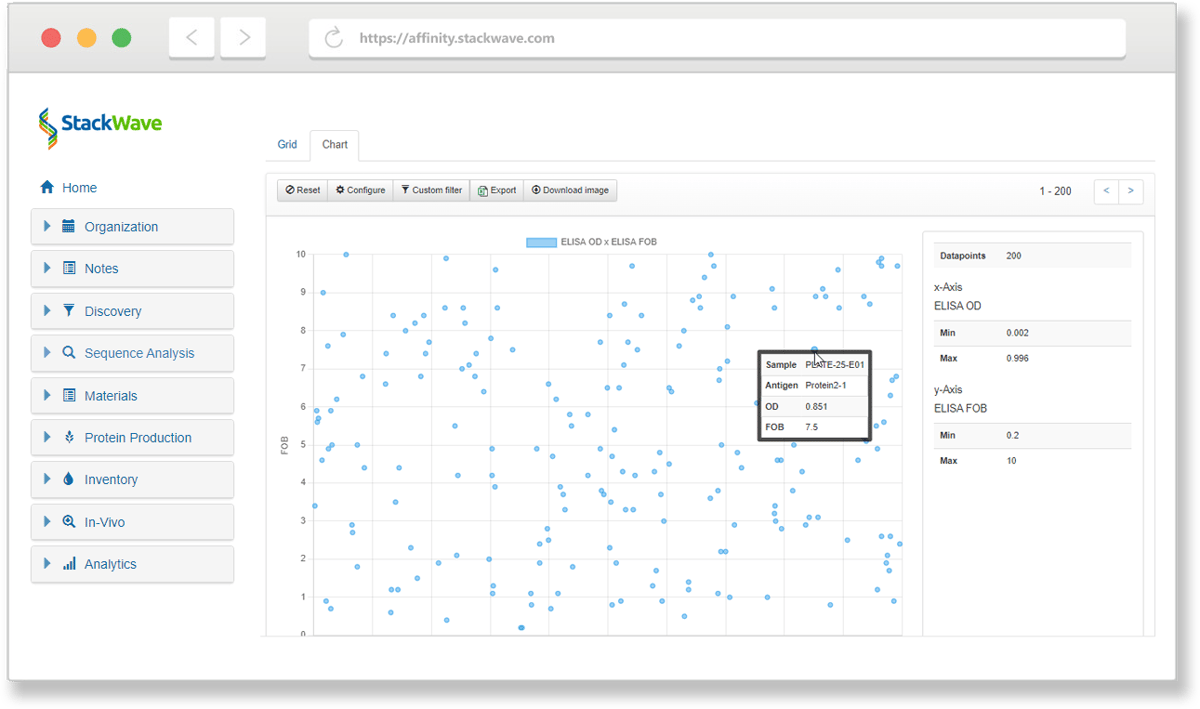
Identifying the hits and consolidating them happens in one operation, not two. The scientist selects the round's screening plates, opens and opens a built-in report builder that pulls the assay data attached to each well alongside the plate layout. Strong CD20 binders sort to the top, weak ones in the middle, and background at the bottom, ready to apply thresholds, sort by measurement, or visually inspect via scatterplot. From the same view, the scientist stamps the chosen wells onto a fresh plate (or cherry-picks specific ones when the layout calls for it). The rearray gets recorded as a single operation: source plates in, resulting plates out, and the sample set captured, so the answer to which clones came from which wells of which round is always queryable, not reconstructed later from a notebook.

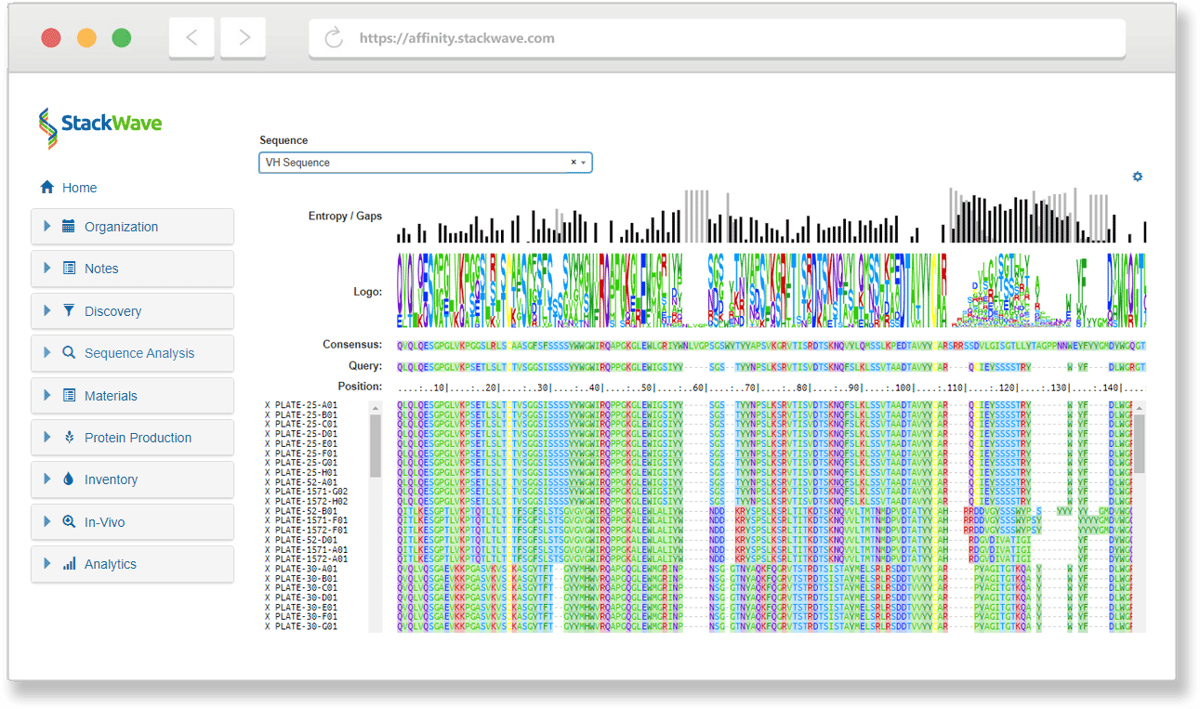
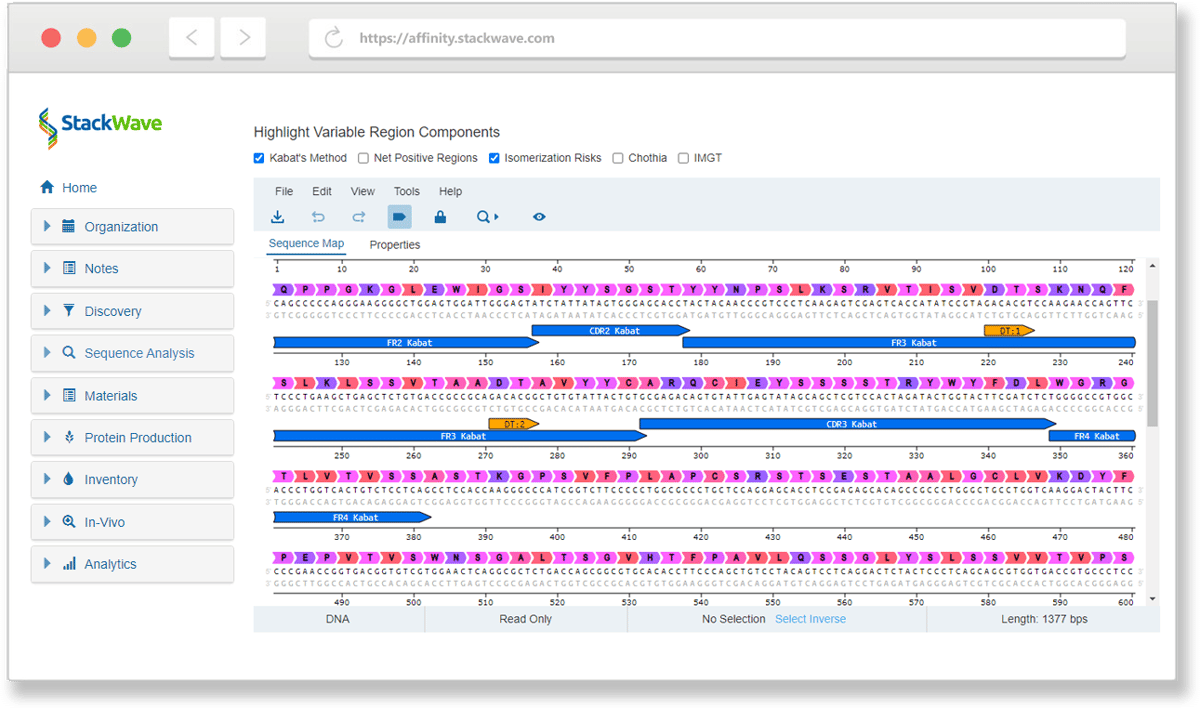
Then the picks get sequenced, and this is where Affinity's built-in sequence analysis comes in. Configured pipelines take the reads and produce paired heavy and light variable domains, framework regions, and CDR annotations for each clone, automatically. No separate bioinformatics tool to keep in sync. No FASTA round-trip. No manual annotation pass. The resulting clone records are built around the biological object the scientist actually cares about: paired domains with their framework and CDR breakdown, connected to the target the clone was raised against, with a link back to the originating campaign.
How Discovery connects to the rest of Affinity

  • Planning supplies the project and target structure a campaign is scoped to. Each campaign is tied to a project and one of its targets from the start, and the clones and panel it produces stay within that project.

  • Bioregistry is where the campaign's output lands. Clones produced here are the input to the Antibodies page's "Register from Clones" path; the variable domains called during clone identification populate the antibody's paired-chain detail on registration.

  • Molecular Biology picks up where clone selection chooses the constructs to clone into expression vectors. The same clones registered here carry forward into vector construction.

  • Protein Production expresses the candidates in the panel that comes out of the campaign; the proteins that come back carry their expression and characterization results, tied to the same candidates.

  • Analysis rings the sequence analysis that calls paired variable domains, framework, and CDRs on the campaign's clones, and the screening-data analysis used to pick the best binders out of a round.

  • Inventory holds the screening plates as physical containers, the clone tubes as physical samples, and the rearrayed plates as the next round of physical work.

The campaign's output isn't manually handed off. Once a clone is identified, the rest of the platform knows about it.

Why choose Affinity for discovery

  • Native support for every major discovery workflow. Display-platform campaigns (phage, yeast, and other formats), hybridoma screening, and single-B-cell sorting. Each runs as a first-class workflow with the operations the platform actually needs, not as a variation of a generic screening abstraction.

  • The campaign artifacts scientists actually use. Round diagrams, recovery plots, rearray operations, clone plates, and paired variable domain calling are built in, not bolted on.

  • One platform from immunization to panel. The immunization study, the screening campaign, the clone identification, and the panel ready for expression all live in the same system. Lineage is preserved across the whole loop.

  • Transparent pricing. $175 per user per month, every module included.

  • Founded in 2011, focused exclusively on biologics R&D — more than a decade of building the workflows above for the scientists who actually run them.

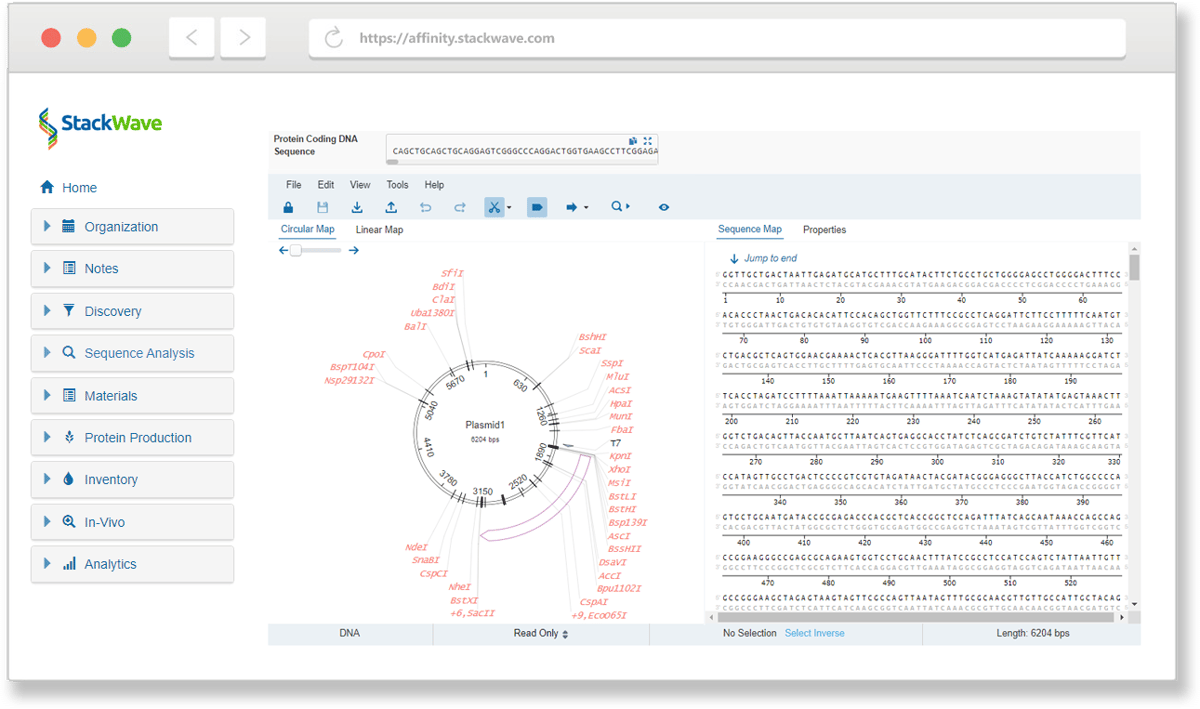
Image of plasmid circular map with restriction sites
Image of antibody sequence regions
Image of clone lead identification plot
Image of sequence alignment for antibody region
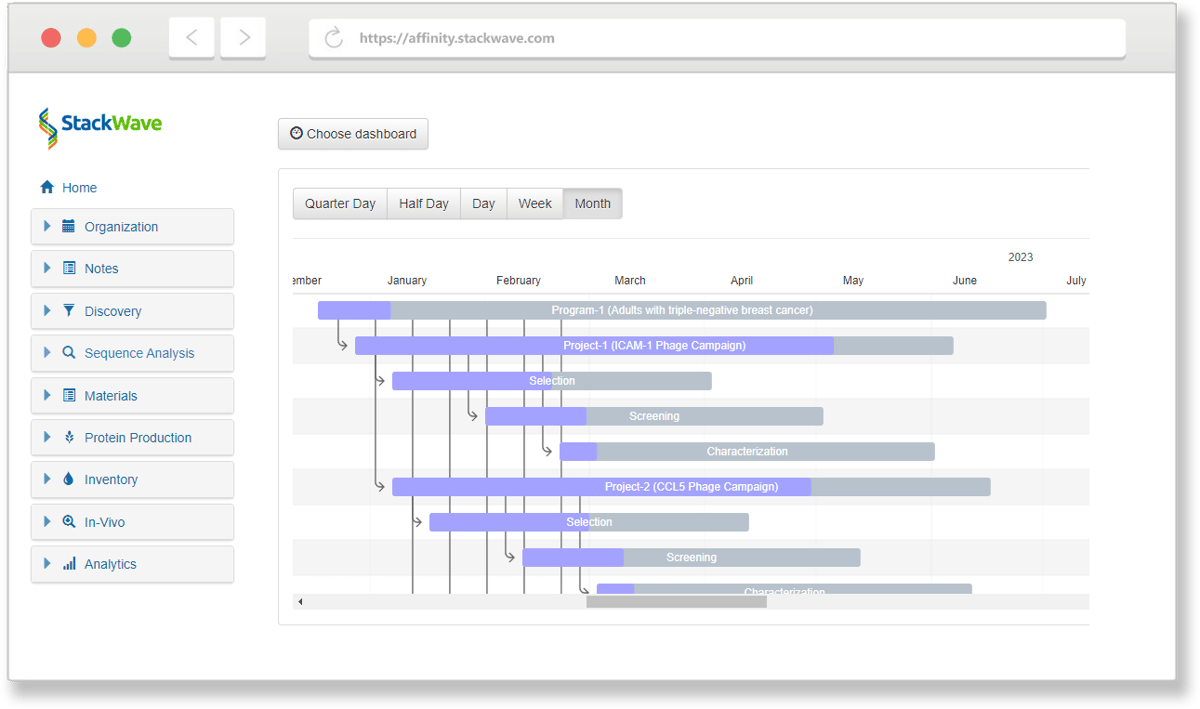
Image of operational antibody project data
Affinity in Action

Manage your entire process, from discovery to lead characterization

With Affinity, it's never been easier to collaborate effectively on drug discovery and development. Spend more of your time on discovery instead of data entry by using one solution that provides all of the tools you'll need. Request a demo or free trial today.

Collaborate

Facilitate collaboration between discovery, production, and analytics teams

Integrate

Fully integrated, from target identification to lead characterization

Consolidate

Single source of truth for all assay data

Analyze

In-depth analysis of lead antibodies

OPTIMIZE YOUR PROCESS

Learn more about our solutions for Biologics R&D

  • Sequence Analysis

  • Phage Panning

  • Lead Characterization

  • Hybridoma Production

Sequence Analysis

Leverage Affinity’s built-in sequence analysis tools to identify the unique antibodies in your discovery campaign results without having to license or build a separate bioinformatics system. Additional sequence search tools take advantage of Affinity’s sequence and variable region databases to quickly find related sequences.

Phage Panning

Phage panning allows you to narrow the enormous diversity represented by your phage libraries to a manageable set of antibodies for further study. Create visual designs of your phage panning experiment to track which combinations of antigens and other inputs produced the most promising leads. From the pools of phage output produced, generate sets of screening plates for assaying, sequencing, screening, and analysis.

Lead Characterization

StackWave Affinity provides workflows for phage, hybridoma, and single B-cell campaigns, assay data management, sequence analysis, custom reporting, and plate generation in a single solution. These tools integrate seamlessly to help discovery teams quickly identify their most promising lead antibodies. Automation support for liquid handling platforms and assay data ingest allows for high-throughput screening of campaign results.

Hybridoma Production

Manage the complexity of hybridoma campaigns with an actual animal study management solution that connects seamlessly with hybridoma plate generation. Generated plates can be screened, sequenced, filtered, and lead antibodies identified using an intuitive set of tools that combine assay data management, sequence analysis, and custom reporting.

"StackWave gives us confidence in our leads by collecting all of the data about our potential therapeutics in one place and making that data actionable by allowing us to compare antibodies of interest."

"I worked with StackWave for ~4 years at my previous job to implement our LIMS. It was a great learning experience. We put in place an incredible system for our entire workflow, from plasmid registration to in-vivo study data registration."

"StackWave’s Platform allowed us to collaborate on our in-vivo studies in a web browser at home... I would highly recommend StackWave for therapeutic discovery teams looking to improve collaboration between teams."

Get started now

One Tool for Biologics R&D