![logoTRANSPARENT-BG_no_LLC_small.png]](https://www.stackwave.com/hs-fs/hubfs/StackWave_Images/logoTRANSPARENT-BG_no_LLC_small.png?height=40&name=logoTRANSPARENT-BG_no_LLC_small.png)
Sequence Templates
Administrators of Affinity can navigate to Sequence Templates in the Admin->Bioregistry section. On the resulting page, click Register to create a new sequence template. A sequence template consists of one or more sequence parts, which are registered from the N- to the C-terminus of the protein sequence. Specify a name and then however many parts as are desired. For example, to create a heavy chain sequence template, you would register a VH variable region + constant region (Fc) sequence. The types of parts which are available to be added are the types in the Sequence Parts section, also editable by Affinity administrators.
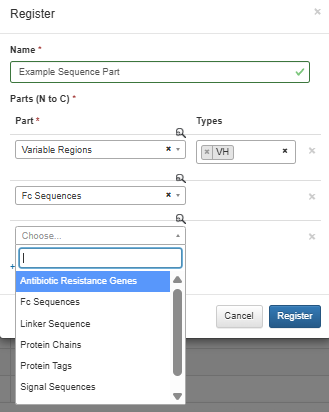
Register one or more sequence templates, and then navigate to the Biomolecule Templates section in the same Admin->Bioregistry section. Each biomolecule template allows administrators to combine one or more sequence templates together to define an entire protein. For example, administrators could define a multispecific template consisting of two VH + Fc and a VL + Fc by defining the following template (the Heavy Chain sequence template is VH + Fc and the Light Chain template is VL + Fc in this example):
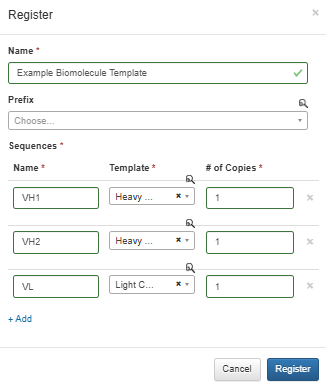
Optionally, administrators can select a prefix to be applied to registered proteins of this template.
Once the template is defined, proteins can be registered by navigating to the Proteins page in the Materials module.
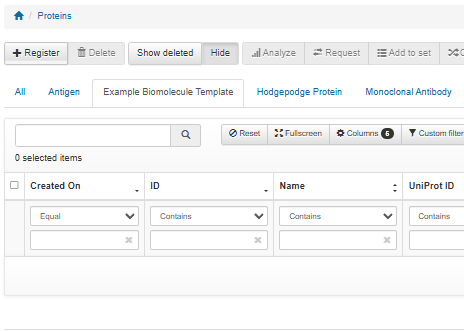
The proteins page is broken up into a tab for each biomolecule template which has been defined. To register a new protein, click the register button and select the desired biomolecule format. The resulting form will provide a field (either free-form amino acid sequence entry or plasmid selector, depending on your choice in the dropdown at the top of the page) for each sequence template which is included in the format. In our example, three fields are provided for the two heavy chains (VH + Fc) and the one light chain (VL + Fc).
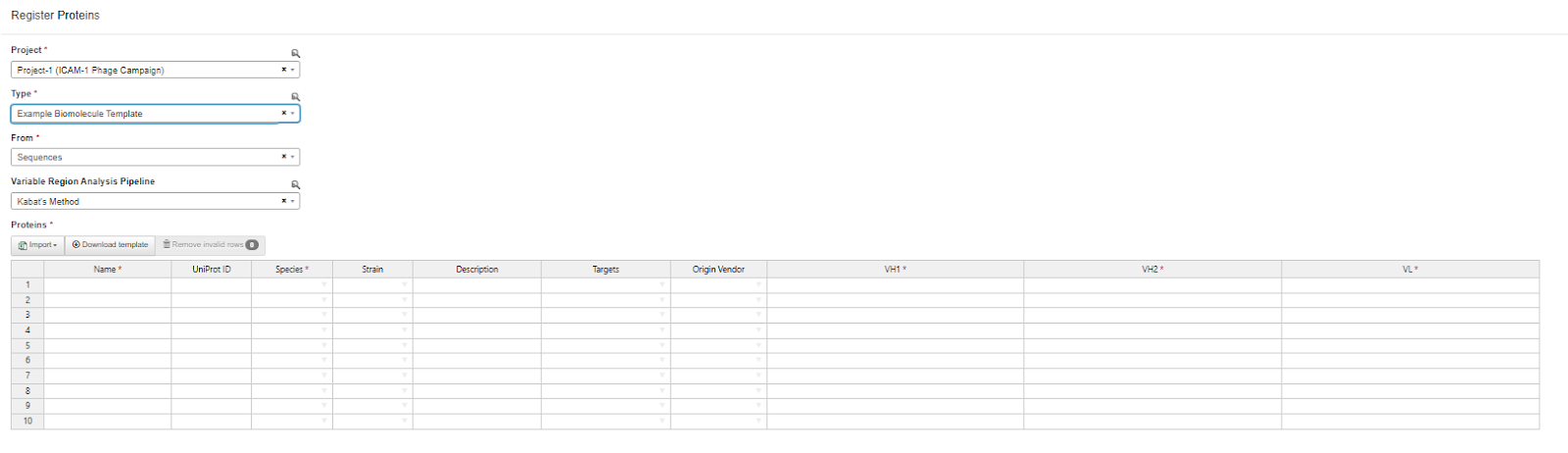
When the registration form is submitted, the system will validate that the plasmid or sequence provided satisfies the defined template - for example, if a VH is provided for one of the protein chains without an Fc sequence, this will be identified by Affinity and the scientist will be warned that their submission does not satisfy the selected template.
If Affinity identifies missing variable regions, it will use the selected Variable Region Analysis Pipeline to try and analyze the sequence to identify those variable regions. Successfully identified regions will be automatically registered and used to validate the biomolecule format. If one or more variable regions cannot be identified, the scientist will again be warned that their submission is not valid for that format.
After a protein has been registered, it can be used throughout the system in the same manner as any material - aliquotted, assayed, and analyzed as needed.